
Production-Ready Search UI Primitives
Modular, accessible, and fully customizable search interface components. Drop them into any framework and ship a complete search experience in hours, not weeks.
25+
Components
4
Frameworks
7
Premium Dropdowns
Core
<SearchProvider />
Context provider that initializes the SDK and manages search state.
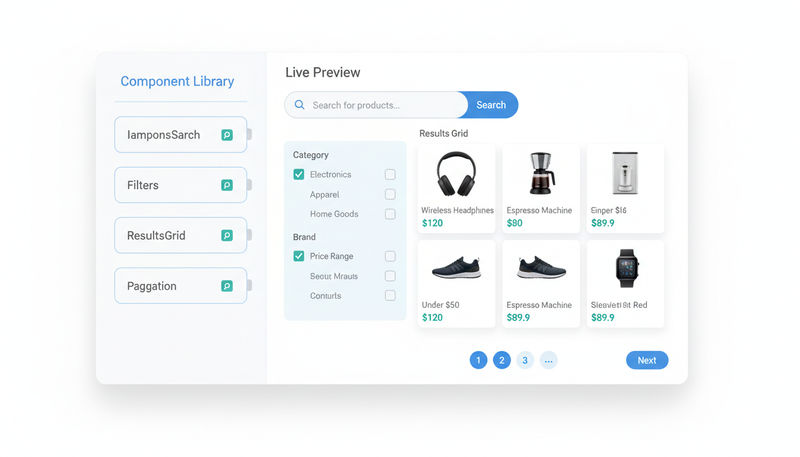
<SearchBar />
Accessible input with debounce, keyboard shortcuts, and clear button.
<SearchResults />
Responsive product grid with configurable columns and loading states.
<QuerySuggestions />
Typeahead dropdown with popular and recent query recommendations.
Filtering
<Facets />
Dynamic attribute facets with counts, refinement, and keyboard navigation.
<HierarchicalMenu />
Nested category navigation with breadcrumb trail and expand/collapse.
<RangeSlider />
Dual-handle slider for numeric ranges like price or rating.
<RangeInput />
Min/max text inputs for precise numeric range filtering.
<CurrentRefinements />
Active filter pill list with individual and bulk clear actions.
<ClearRefinements />
One-click button to reset all active filters and refinements.
Navigation
<Pagination />
Accessible page controls with configurable page size and boundary ellipsis.
<InfiniteHits />
Scroll-triggered loading with intersection observer and sentinel element.
<SortBy />
Dropdown to switch sort order with URL sync and custom sort options.
<HitsPerPage />
Configurable results-per-page selector with preset options.
Display
<Breadcrumb />
Hierarchical breadcrumb trail synced with active category navigation.
<Stats />
Search result count and query time display with customizable template.
<Snippet />
Truncated text preview with highlighted matching query terms.
<Highlight />
Inline query-term highlighting for titles, descriptions, and attributes.
Recommendations
<RecentlyViewed />
Client-side carousel of products the shopper has recently viewed.
<FrequentlyBoughtTogether />
Cross-sell widget based on co-purchase patterns and basket analysis.
<TrendingItems />
Dynamically ranked trending product carousel from real-time analytics.
<RelatedProducts />
Content-based similarity recommendations using product attributes.
Premium Dropdowns
<MinimalDropdown />
Clean, lightweight search overlay with instant results preview.
<MobileSheetDropdown />
Bottom-sheet search drawer optimized for mobile touch interactions.
<ShopifyDropdown />
Shopify-style predictive search with product images and categories.
<SpotlightDropdown />
Full-screen spotlight search modal with keyboard-first navigation.
<PinterestDropdown />
Visual grid dropdown with image-heavy product previews.
<GoogleDropdown />
Autocomplete-style dropdown with suggestion highlighting.
<AmazonDropdown />
Category-scoped search with department suggestions and recent queries.
Works With Your Stack
Official UI SDK packages with full TypeScript definitions for every major framework.

React
@seekora-ai/ui-sdk-react

Vue
@seekora-ai/ui-sdk-vue

Angular
@seekora-ai/ui-sdk-angular

Vanilla JS
@seekora-ai/ui-sdk-vanilla
Live Search in Under 10 Lines
Wrap your app in a SearchProvider, drop in a SearchBar and SearchResults, and you have a fully functional search experience. Customization, filtering, and pagination can be added incrementally.
Read the full UI SDK documentationApp.tsx
import { SearchProvider, SearchBar, SearchResults} from '@seekora-ai/ui-sdk-react'; function App() { return ( <SearchProvider storeId="your-store" readSecret="your-secret" > <SearchBar placeholder="Search products..." /> <SearchResults /> </SearchProvider> );}
UI Component Questions
Common questions about customization, performance, and framework support.
How do I customize the look and feel of components?
Every component accepts className and sx props for styling overrides. Components expose CSS custom properties for theming and are compatible with Tailwind CSS, styled-components, CSS Modules, and MUI. You can also pass custom render functions to override default slots like product cards or filter items.
Are the components SSR-compatible?
Yes. All UI SDK components are built for Next.js App Router and SSR environments. There are no window dependencies in the initial render, and components hydrate cleanly with zero layout shift. Server-rendered HTML is SEO-friendly and accessible to crawlers.
How accessible are the components?
Components follow WAI-ARIA guidelines with proper roles, labels, and keyboard navigation. The SearchBar supports screen readers and keyboard shortcuts. Pagination and filter components are fully keyboard-navigable. We test against WCAG 2.1 AA standards.
What is the bundle size impact?
The UI SDK is tree-shakeable, so you only pay for the components you import. The core SearchProvider and SearchBar together add approximately 8KB gzipped. Each additional component adds 1 to 3KB. No heavy dependencies are included.
Can I use my own design system with these components?
Absolutely. Components are headless at their core, handling behavior, state, and accessibility. You control the visual layer entirely. Wrap them in your own design system tokens, theme context, or brand guidelines with zero conflicts.
How do the premium dropdown components differ from the standard SearchBar?
Premium dropdowns are pre-designed, ready-to-deploy search overlays inspired by leading platforms. Each includes product image previews, category suggestions, recent queries, and polished animations. They save weeks of frontend design and development time while remaining fully customizable.
Start Building Your Search UI
Install the UI SDK and ship a production-ready search interface in minutes, not weeks.